DriveHUD - Poker HUD & Database Software [-10% Discount]

[URL="http://drivehud.com/?t=22cs"]
[/URL]
- Track all poker hands you play online.
- Run a HUD overlay on all of your opponents as you play.
- Re-play every session, and every hand you ever played.
- Graph and analyze how unlucky or lucky you’ve been running.
- Filter for any situation you can think of and analyze it.
- Player profile your opponents with ease so you know who the fish or sharks are.
- Provide and easy and intuitive poker database experience.
[UR
Instead of using percentage in HUD (like the 3bet stat), I would use letter in HUD ("badges") based on these definitions :
Five badge levels:
- O (“Over” — much too high — extreme/overdo)
- H (“High” — above GTO or pool average, but not extreme)
- B (“Balanced” — in the optimal GTO or reasonable reg zone)
- L (“Low” — below average, somewhat under-defending)
- U (“Under” — much too low/passive/calling station)
By using this, I would mimic your badges system, but if I can put them in a grid, directly in the HUD, it would be wonderful.
By example, someone with a 3bet of 18% receive a "O" badge on the 3bet stat cells in the HUD.
As a second option....
If your badges system could be regroup into multiple panels, I should use it directly. In NoteCaddy per example, badges can be regrouped like : Badges Preflop, Badges for Flop, Badges for turn, etc.... or any grouping system I like.
So, with this option, I will need approximately 125 badges in that case. 5 badges for each stat in my HUD.
With Option 1, custom stat with a IF / THEN condition, only 25 custom stats needed because I can create nested IF like pseudo code below
If ( FlopBetSize > 100, "Overbet",
If ( FlopBetSize > 75, "LargeBet",
If ( FlopBetSize > 40, "MidBet",
"SmallBet")))
DriveHUD 2 Beta update - v2.0.17.13367
https://drivehud.com/poker-hud/DriveHUD2...
Fix for the PokerKing and its skins update (PC version only).
Instead of using percentage in HUD (like the 3bet stat), I would use letter in HUD ("badges") based on these definitions : Five badge levels:- O (“Over” — much too high — extreme/overdo)- H (“High” — above GTO or pool average, but not extreme)- B (“Balanced” — in the optimal GTO or reasonable reg zone)- L (“Low” — below average, somewhat under-defending)- U (“Under” — much too
I think I'm missing something. Why don't you just make those first set of badges?
So you want a badge system that uses IF statements essentially.
Hello,
Is it possible to make a HUD for Winamax Incognito tables that works in Current Session mode automatically, without having to switch it manually?
The issue is that if I switch it manually and then close a table without switching it back, at the next launch DriveHUD applies Current Session to all tables and all poker rooms, and I have to restart the program. Or could you make a hotkey that, when pressed, switches the HUD to Current Session and when released switches it back to Historical Data?
Or, alternatively, switch by double-clicking on the HUD, as it is implemented in other trackers.
Also, is it possible to refresh the HUD when a new player joins the table? Currently, if someone leaves and another player takes their seat, the HUD still shows the stats of the previous player.
Thank you.
I think I'm missing something. Why don't you just make those first set of badges?
So you want a badge system that uses IF statements essentially.
Sorry, I maybe put to much info in my explanation. I understand you struggle.
To be simple. Could you make the HUD badges system on more than 1 line? Be able to put "Line Break" in badges definition too.
Hello,Is it possible to make a HUD for Winamax Incognito tables that works in Current Session mode automatically, without having to switch it manually?The issue is that if I switch it manually and then close a table without switching it back, at the next launch DriveHUD applies Current Session to all tables and all poker rooms, and I have to restart the program. Or could you ma
Yeah, I've mentioned it just saving last option selected to the dev team before. The reason I was told is because it's changed for all tables, otherwise you need to change it for every table manually. I'll bring it up again though.
As far as new players joining, it should take a full hand to to be played and the stats you should reset. If that's not happening for you, then send a log from the support icon in dh2.
Hi FreakDaddy,
its so sad that Drive HUD 2 is not working for 888 SNAP. PT4 HUD works also for SNAP.
This holds me back from buying it.
It is also not clear to me if I can use the software to study the pool tendencys in different spots (overfolding, underfolding) etc.
Hi FreakDaddy,
its so sad that Drive HUD 2 is not working for 888 SNAP. PT4 HUD works also for SNAP.
This holds me back from buying it.
It is also not clear to me if I can use the software to study the pool tendencys in different spots (overfolding, underfolding) etc.
Yes, it has many different ways to study pool tendencies via population and range reports.
Is there a way to refresh the hud on WPN without having to leave the table? Whenever I get disconnected the hands stop tracking when I reconnect. In cash games specifically. I dont want to lose my seat having to close and reopen the table.
Is there a way to refresh the hud on WPN without having to leave the table? Whenever I get disconnected the hands stop tracking when I reconnect. In cash games specifically. I dont want to lose my seat having to close and reopen the table.
When I get disconnected on ACR/WPN, the HUD will start tracking again after Hero has played a hand or 2.
Is there a way to refresh the hud on WPN without having to leave the table? Whenever I get disconnected the hands stop tracking when I reconnect. In cash games specifically. I dont want to lose my seat having to close and reopen the table.
No, not really. When you DC the site has a secret token it needs to send and validate to send data again, and it can take a hand or two.
Hi FD. How to set the hand order in replayer?
Hello, Is there a way to view the formulas for standard stats? And the second question: is it possible to export custom stats or find out where they are stored in which folder?
Hello, Is there a way to view the formulas for standard stats? And the second question: is it possible to export custom stats or find out where they are stored in which folder?
No, but the standard stat formulas are not the same as custom stats. I assume that's why you want to see them. I'd work from the examples listed, and there is a video as well:
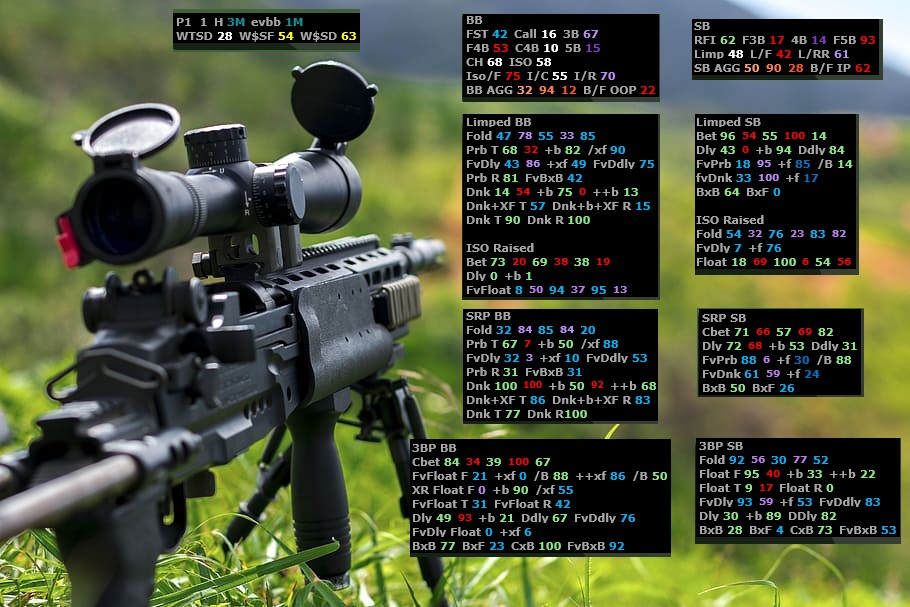
Hello, Is there a way to view the formulas for standard stats? And the second question: is it possible to export custom stats or find out where they are stored in which folder?
this applies only for custom stats : go to : C:\Users\XXXX\AppData\Roaming\DriveHUD 2 then search for custom-stats.dat - open it in excel, there is also another workaround to see them without these special symbols but its a bit more complicated.
this applies only for custom stats : go to : C:\Users\XXXX\AppData\Roaming\DriveHUD 2 then search for custom-stats.dat - open it in excel, there is also another workaround to see them without these special symbols but its a bit more complicated.
That's just to locate and use existing custom stats though. I think he wants to see a formula for built in stats, thinking it's the same for custom.
Hey FD, I sent you a DM. Could you take a look when you get a chance?


