H2N not working
H2N not working
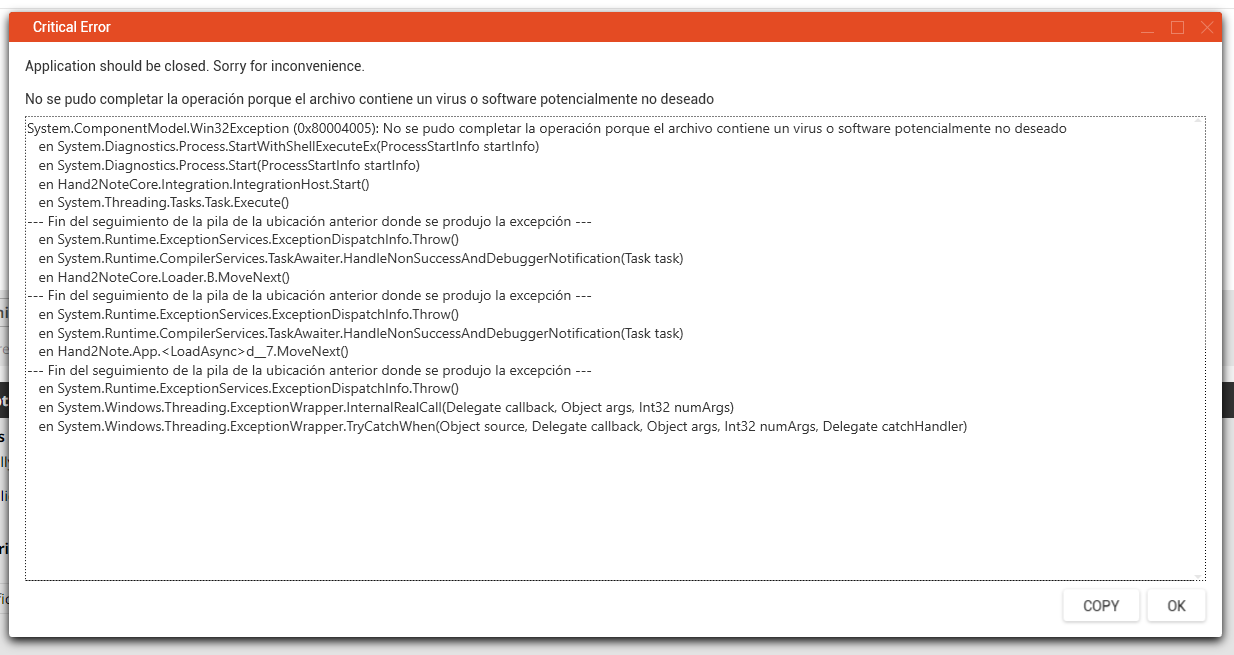
Is there any solution? Hud was not working and when I restarted H2N it appeared me that. Thank you
Reply...
1 Reply
Earlier posts are available on our legacy forum HERE
Hello!
Sorry for the long waiting.
The described issue is likely associated with the antivirus trigger. Please, try the following steps:
1) Add the entire Hand2Note folder to the exclusion list of your Antivirus or Defender
2) Delete the h2nHost.exe file from your Hand2Note folder (C:\Program Files\Hand2Note\integration by default). If there is no such a file, that's OK. Just skip this step.
3) Run Hand2Note as administrator and check if that helps
Note: here's the instruction for Defender: https://support.microsoft.com/en-us/windows/add-an-exclusion-to-windows-security-811816c0-4dfd-af4a-47e4-c301afe13b26#ID0EBF=Windows_10

Reply...
